Lead Retrieval App
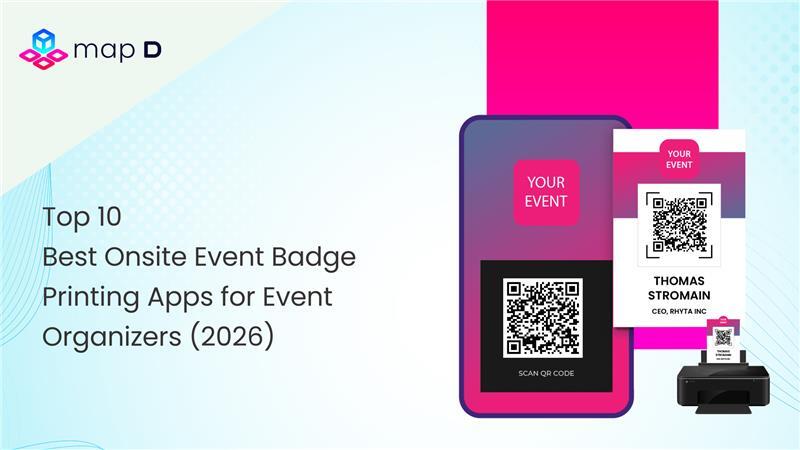

Onsite event Badge printing app technology has become the backbone of modern event check-in, replacing manual processes with fast, intelligent, and seamless onsite experiences. Walk into any major trade show or conference today and you will immediately notice how different the entry experience feels compared to just a few years ago. There are fewer long queues. Fewer stressed staff members flipping through spreadsheets. Fewer handwritten name tags that smudge before the keynote even begins. Instead, you see smooth self event check-in stations, QR code scans that take seconds, and crisp, branded event badges printed instantly. Behind that efficiency sits a powerful event badge printing app connected to event registration software, synchronized with attendee databases, and integrated into a broader event management software ecosystem.
First impressions at events are powerful. The check-in desk is the first physical interaction attendees have with your brand. If the line is chaotic, the technology glitches, or the event badges print incorrectly, the frustration lingers. On the other hand, a smooth onsite event badge printing app experience signals professionalism, preparedness, and attention to detail.
In 2026, event organizers are no longer asking if they need a badge printing app for events. They are asking which best badge printing app can scale with their growth, integrate with their systems, and deliver measurable operational efficiency. This blog will help you understand why a modern event badge printing software solution is no longer optional, what features truly matter, and how to evaluate the right system for your event.
A few years ago, printed attendee lists and pre-printed event badges were standard practice. Organizers would sort event badges alphabetically and hope attendees arrived as expected. But events have evolved. Registration patterns have changed. Last-minute sign-ups are common. Walk-ins are expected. Ticket upgrades happen onsite. Exhibitor passes get modified hours before doors open.
Without a real-time event badge printing system, these changes create chaos. A modern badge printing app eliminates that friction by synchronizing live attendee data with printing hardware. The moment an attendee checks in through an event check-in app, their event badge prints instantly with accurate details pulled directly from the event registration and ticketing software. Here is why this matters more than ever:
Large trade shows now host thousands of participants within short time windows. If each badge takes even 20 extra seconds due to manual corrections, the delay multiplies quickly. A streamlined instant badge printing app ensures check-in remains smooth even during peak traffic.
Brand perception is another critical factor. A professional event badge printed through a customizable event badge printing software reinforces your event identity. Clean layouts, sponsor logos, QR codes, and color-coded categories improve networking and navigation.
Security is also a major consideration. A sophisticated QR code badge printing app or barcode badge printing app allows real-time access control. Staff can instantly validate attendees, prevent duplicate entries, and track session participation with precision.
Beyond efficiency, a cloud-enabled cloud-based badge printing app provides event teams with live dashboards. Organizers can monitor event check-in volume, track no-shows, and manage event badge reprints without digging through disconnected systems. When integrated properly with attendee management software, the badge becomes more than identification. It becomes a data asset.


The demand for onsite event badge printing is not just about speed. It reflects a broader shift in how events operate.
Event teams are prioritizing flexibility. Pre-printing event badges days in advance introduces risk. Attendee names change. Job titles update. Ticket types shift. Sponsors request logo adjustments. A rigid system cannot keep up.
An advanced onsite event badge printing app allows event organizers to:
This flexibility reduces waste, improves accuracy, and enhances sustainability. Instead of discarding stacks of unused pre-printed event badges, organizers print only what they need.
A strong mobile badge printing app further expands possibilities. Staff equipped with tablets can check in VIPs away from the main desk. Exhibitor teams can receive credentials directly at setup zones. Special guests can be processed privately.
The evolution of wireless event badge printing app capabilities has removed dependency on bulky wired setups. WiFi-enabled event badge printers allow greater mobility and easier venue configuration.
Choosing the best event badge printing app requires more than comparing feature lists. The right solution balances reliability, scalability, integration depth, and user experience.
The strongest event badge printing software connects seamlessly with event registration software. This integration ensures that attendee data flows automatically from registration forms to badge templates without manual intervention.
When a participant updates their information online, the badge printing app reflects those changes instantly. No data exports. No spreadsheet uploads. No last-minute scrambling.
Even in 2026, internet connectivity at venues can be unpredictable. A dependable cloud-based event badge printing app should offer offline functionality. Attendees must still be able to check in and receive badges using offline event badge printing, even if WiFi temporarily fails. Once connectivity returns, the system should automatically sync data.
Hardware flexibility is essential. A versatile event badge printing solution supports various thermal and digital printers, including integration with:
Compatibility with a thermal event badge printer app setup ensures fast, high-quality badge production with minimal maintenance.
Branding matters. A professional custom event badge printing software component should allow organizers to design templates that include logos, sponsor branding, QR codes, barcodes, and category-based color coding. This functionality transforms badges into networking tools rather than simple name tags.
A small workshop may process 200 attendees. A major expo might process 20,000. A scalable event badge printing system should handle both scenarios without performance degradation. High-volume environments require an optimized trade show badge printing app capable of rapid batch processing and parallel printer management.
Choosing the right event badge printing app for your event can transform check-in, cut down attendee wait time, and elevate the overall professional feel of your trade show or conference. Below is a detailed assessment of the top 10 badge printing apps so you can confidently pick the right solution for 2026.
Map D is the best badge printing app with a full suite of trade show and conference tools, and its badge printing software is built into a broader event management ecosystem that supports exhibitors, attendees, and organizers alike. The system emphasizes cohesive event workflows. It allows teams to design fully branding-aligned event badges and produce them quickly during high-volume check-ins. These event badges connect directly with registration data, meaning details are always up-to-date and accurate at the moment of print. Map D’s system supports high-speed onsite event badge printing with reputable hardware manufacturers such as Zebra, Epson, and Brother, allowing organizers to choose the printers that match their event volume and quality demands. This flexibility also makes managing last-minute walk-ins and corrections much smoother.
Beyond printing event badges, Map D’s event badge printing software lets organizers handle exhibitor management, floor mapping, and event ticketing from a unified dashboard. The interconnected nature of these tools means that badge production is just one part of a larger data-driven event strategy. Access control, lead retrieval, and attendee segmentation can all be incorporated into event badge design and event check-in flows, helping trade show teams optimize both operations and networking experiences. This integration helps reduce manual work and enhances visibility across the event lifecycle, making Map D a robust choice for events that value consistency and scalability.
Pros
Cons
Eventdex, a Nextech3D.ai company, stands out as the top event management platform that deeply integrates badge printing with onsite event registration and event check-in processes. Because of its parent company’s experience across event tech solutions, Eventdex supports robust event badge printing options with industry-recognized hardware such as Epson, Zebra, and Brother printers, allowing seamless badge production directly from iOS, Android, and tablet devices without complex setup chains. Its multi-format support also means you can tailor event badge sizes for your event, for example, traditional compact badges or larger formats that help attendees easily identify personnel and session tracks.
Eventdex’s platform includes advanced event badge design tools that let organizers craft custom event badges based on attendee roles, ticket types, or personalization fields. This capability helps events communicate professionalism right from event check-in and ensures that badges are not only functional but also aligned with branding and sponsor visibility. Offline event badge printing workflows and mobile support ensure that even in environments with spotty connectivity, badge production stays uninterrupted, a critical consideration for large trade shows with unpredictable Wi-Fi landscapes.
Pros
Cons
Cvent is a well-known enterprise-grade event management platform that includes a powerful badge printing app as part of its broader onsite check-in tools. It offers an advanced Event Badge Designer that lets organizers build polished, branded badges directly within its system. Event badges can be printed on demand at staffed desks or through self-service kiosks, supporting walk-in registrants and last-minute updates with minimal friction. By tapping into the live registration database, Cvent ensures badge content is always accurate and up-to-date at the moment of printing.
Beyond event badge aesthetics, Cvent’s onsite event badge printing workflows are designed for scale. The platform accommodates large conferences and global events with support for pre-event badge design, print-ready PDF exports, and real-time print queue management. Its onsite solutions, including OnArrival and Event-in-a-Box packages, provide comprehensive badge printing paired with check-in services, kiosks, and even staff support. This makes it a strong option for teams that seek an all-in-one tool backed by enterprise-level reliability and global support.
Pros
Cons
Whova is widely known for its mobile event app and attendee engagement tools, and in recent updates, it has expanded its onsite functionality to include a badge printing portal that works in tandem with its check-in features. Organizers can check attendees in using multiple devices, such as mobile apps or the Whova dashboard, while a central print queue handles badge production, freeing up staff from repetitive manual actions. This helps speed up arrivals and reduces the burden on volunteers or check-in teams.
More importantly, Whova’s event badge printing works with its wider event ecosystem, syncing attendee data, ticket types, and session information straight from registration records. This integration ensures badge details are accurate and aligned with the event theme, helping organizers maintain a professional on-site appearance. While Whova’s badge features are part of a larger package that includes engagement and networking tools, badge printing remains a key component in its mission to streamline overall event execution. With options for kiosk-style check-in, Whova allows multiple attendees to be processed in parallel, reducing queue lengths and improving first impressions.
Pros
Cons
Bizzabo has carved a niche as a comprehensive event management system with strong productivity features that extend into badge printing and check-in. Its platform helps organizers create personalized badges that reflect attendee type, ticket tiers, and sponsor branding. Because Bizzabo treats badge printing as an integral part of attendee experience, it embeds this workflow in its CRM and networking features, helping events tie attendee profiles and badge data into engagement metrics and follow-up campaigns.
The solution emphasizes ease of use without compromising on event scale or complexity. Badge printing works seamlessly with event registration and attendee management modules, pulling live data so that walk-in participants or last-minute changes are printed correctly. Bizzabo also integrates badge printing into broader event analytics, meaning organizers can measure check-in times, badge pickup rates, and other operational KPIs. This integration can be especially valuable for events that view badge printing as more than aesthetics — it becomes a source of actionable data.
Pros
Cons
vFairs is best known for virtual and hybrid event platforms, but it also supports in-person and onsite technologies, including badge printing for live check-ins. The platform focuses on unified event management, connecting registration, check-in, and badge workflows into one experience. While event badge printing may come at an additional cost beyond the core event package, vFairs supports efficient onsite printing and batch production that is suitable for high-volume environments.
Organizers can design custom badge templates and use real-time data to ensure accurate printing during walk-ins or scheduled check-in windows. The system also synchronizes badge output with attendee metadata, which helps maintain consistency across event touchpoints from entrance to networking areas. vFairs remains a strong choice for teams hosting hybrid events where the same platform manages digital and physical attendee interactions, with badge printing serving as a seamless extension of the event experience.
Pros
Cons
Boomset has built a reputation for strong onsite services, including fast badge printing software that helps events handle check-in and attendee tracking with poise. Its platform allows organizers to design badges, manage onsite queues, and print badges in real time, all while syncing to the central attendee database. The system also integrates with lead capture tools, making badge scanning useful beyond check-in and into post-event follow-up and analytics.
One of Boomset’s hallmarks is its scalability. Whether you’re hosting a few hundred attendees or thousands, the badge printing workflows are engineered to keep lines moving. The platform’s flexibility allows for print customization, self-service check-in kiosks, and dynamic badge assignments based on ticket category or role. This adaptability makes Boomset a strong contender for larger conferences and exhibitions where speed and accuracy matter greatly.
Pros
Cons
Swapcard brings an AI-focused event management platform that includes check-in and badge printing app workflows. Its key value lies in how it integrates badge printing with networking and business matchmaking tools, pulling attendee data directly from registration and providing seamless badge production at onsite check-in. The platform is designed not just to produce badges but to enhance the event experience by connecting badge metadata with personalized agendas, meeting suggestions, and attendee interactions.
This integration means badges aren’t standalone documents; they become part of the holistic attendee journey. Swapcard’s badge printing is backed by robust data protection and compliance features, ensuring that personal information and check-in flows remain secure. Its mobile-friendly interfaces and print queues facilitate speedy badge production without slowing down other event tasks. For organizations that value networking metrics and AI-enhanced insights, Swapcard provides a modern approach to badge printing.
Pros
Cons
Swoogo offers a flexible event management platform that supports onsite badge printing as part of its integrated toolset. Badge printing workflows in Swoogo connect directly with attendee registration and check-in data, enabling real-time printing at event entrances. Custom templates and badge format options help organizers maintain brand consistency and ensure that badges communicate key attendee information efficiently.
Swoogo’s platform is particularly friendly for event teams that manage multiple events throughout the year, as its template systems and print settings can be reused and adapted. Real-time data syncing means any last-minute changes captured in registration are reflected immediately when badges are printed. While Swoogo’s badge printing features are part of a larger suite, this integration supports smoother onsite operations and consistent attendee experiences.
Pros
Cons
RegFox includes an integrated badge printing system that connects directly to its attendee database. Organizers can design badges with custom fonts, icons, and layouts, and then print them either one at a time or in batches depending on event needs. The platform supports printing with common badge printers such as Zebra, Dymo, and Avery devices, offering flexibility in how badges are produced onsite or in advance.
One notable advantage of RegFox is its visual badge designer, which lets event teams craft professional badges without external tools, ensuring that brand elements and sponsor logos are incorporated with ease. Attendees can be printed on site or in advance with export options for third-party print services if desired, giving teams full control over production workflows. Its real-time data sync ensures badge details are current even for last-minute registrants or changes made just before check-in, reducing errors and saving time during peak periods.
Pros
Cons
Conclusion
As events grow larger and more complex in 2026, organizers need more than basic badge templates. They need a reliable badge printing app that integrates with registration, supports high-speed printing, handles last-minute changes, and works seamlessly with trusted printer hardware. They need a solution that scales from hundreds to thousands of attendees without slowing down.
Choosing the best event badge printing software is not about picking the most popular name. It is about understanding your event’s size, technical setup, branding goals, and operational pressure points. The right decision will save hours of staff time, reduce onsite stress, and improve the attendee journey from the very first moment.
Because when badge printing works perfectly, nobody notices. And that is exactly the point.
If you are looking for a powerful, scalable, and reliable badge printing app built specifically for trade shows and professional events, Map D delivers the performance modern organizers need. Ready to eliminate long queues and streamline your onsite operations? Book a demo with Map D today and see how effortless badge printing can be.
1. What is a badge printing app?
A badge printing app is software that prints attendee badges instantly during event check-in using live registration data. It connects registration systems with on-site printers to produce accurate badges in real time.
2. How does a badge printing app work at events?
It syncs with your registration database and prints badges when attendees check in. The system pulls updated attendee details and sends them directly to a connected printer.
3. Can a badge printing app handle large trade shows?
Yes, most modern badge printing app platforms are built for high-volume environments. They support multiple printers and check-in stations to reduce wait times.
4. Does a badge printing app integrate with event registration software?
Most solutions integrate directly with event registration software, allowing automatic data sync. This eliminates manual uploads and reduces errors.
5. What printers are compatible with badge printing apps?
Many platforms support Zebra, Brother, Epson, and Dymo printers. Compatibility depends on the software and the type of badge stock used.
6. Can badges be customized using a badge printing app?
Yes, organizers can design custom templates with logos, sponsor branding, attendee categories, and QR codes. This ensures badges align with the event’s visual identity.
7. Is onsite badge printing better than pre-printing?
Onsite printing reduces waste and allows last-minute updates. It ensures badges reflect accurate attendee information at the time of arrival.
8. Can a badge printing app work without internet?
Many platforms offer offline mode to continue printing during connectivity issues. Once internet access returns, the system syncs automatically.
9. How fast can badges be printed?
With a high-quality badge printing app and compatible thermal printer, badges can print in seconds. Speed depends on hardware and template complexity.
10. Is a badge printing app secure?
Reputable platforms use encrypted data connections and secure access controls. This protects attendee information during registration and printing.